What is MikroChat?
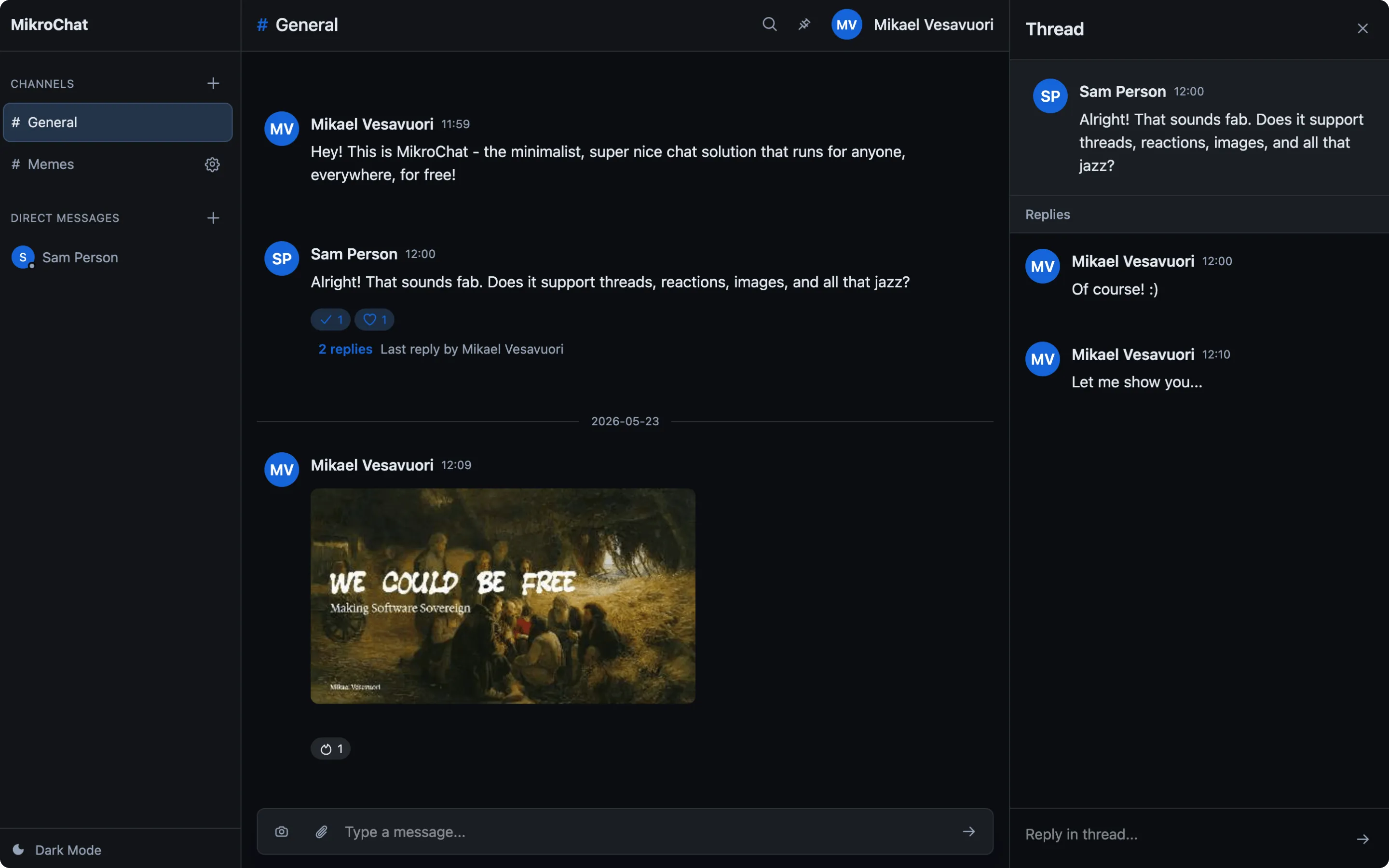
MikroChat is a minimalist, self-hosted chat application for teams who want complete control over their communication. It provides the essential chat features you need without the bloat, vendor lock-in, or expensive bills of commercial alternatives, nor the overhead and complexity of many other open-source/free options.
The Core Concept
Section titled “The Core Concept”MikroChat gives you a complete chat solution with a static frontend and a small backend API. No external services required, no complex infrastructure to manage. Deploy the paired release archives and start chatting.
What’s Included
Section titled “What’s Included”- Channel-based messaging: Organize conversations into channels, just like Slack
- Public and private channels: Keep sensitive discussions limited to members
- Threaded replies: Start threads on any channel message to keep discussions organized
- Direct messages: Private conversations between users
- Image support: Share images with automatic client-side compression and thumbnail generation
- File attachments: Attach PDFs, documents, spreadsheets, archives, and text files
- Search: Search visible channel messages, DMs, people, and attached filenames
- Mentions and notifications: Use
@user,@here, and@channelmentions with browser notifications and unread badges - Pinned and quoted messages: Pin important channel messages, quote replies, and copy message links
- Presence: See online, away, and offline status in direct messages
- Emoji reactions: React to messages with 12 pre-selected emojis
- Real-time updates: Server-Sent Events keep everyone in sync
- Optional encryption at rest: AES-256-GCM encryption for stored server data when configured
- User management: Invite users, manage admins, control access
- Admin operations: Export server data and review audit log entries for administrative changes
- Dark mode: Easy on the eyes
- Installable web app: Add MikroChat to your device like a native app
Key Characteristics
Section titled “Key Characteristics”Batteries Included
Section titled “Batteries Included”MikroChat ships with everything: a web application frontend and a complete backend API. No separate databases, no message queues, no external services are needed.
Lightweight
Section titled “Lightweight”The backend has just a handful of dependencies: MikroAuth, MikroConf, PikoDB, and MikroServe. The frontend uses vanilla HTML, CSS, and JavaScript.
Self-Hosted
Section titled “Self-Hosted”Run MikroChat on your own hardware — a VPS, a Raspberry Pi, or your laptop. Your messages stay where you put them.
Flexible Authentication
Section titled “Flexible Authentication”Choose between local email-only sign-in for private testing, magic link or password authentication for production, and OAuth 2.0 sign-in with Google, Microsoft, GitHub, GitLab, or custom providers.
Design Philosophy
Section titled “Design Philosophy”MikroChat is intentionally minimal. Some things were left out on purpose:
- Short message history: Configurable retention (default 30 days) prevents using chat as documentation storage.
- Limited messages per channel: Encourages focused discussions.
The goal is a chat application for discussions, not a knowledge base. Use the right tool for the job.
Who Is MikroChat For?
Section titled “Who Is MikroChat For?”- Teams who want a private chat server without the overhead of other options
- Privacy-conscious groups who need to keep conversations off third-party platforms
- Technical teams who want to self-host and configure their chat solution
- Organizations tired of per-seat pricing and feature bloat
Getting Started
Section titled “Getting Started”The fastest way to get MikroChat running:
curl -sSL -o mikrochat_app.zip https://releases.mikrosuite.com/mikrochat_app_latest.zipcurl -sSL -o mikrochat_api.zip https://releases.mikrosuite.com/mikrochat_api_latest.zipunzip mikrochat_app.zip -d mikrochat_appunzip mikrochat_api.zip -d mikrochat_apiSee the Installation guide for the full walkthrough.